Configs
The Network Plugin provides a way to manage plugin configs across all network servers.
Accessing Configs
To manage network configs, navigate to:
Config Scope Behavior
Configs within the network follow the same LOCAL_ONLY / NETWORK_SYNCHED logic as permissions.
If a config is left as LOCAL_ONLY, it stays on that server only and is not propagated across the network.
If a config is set to NETWORK_SYNCHED, it is shared across the network the same way synched permissions are.
To fully understand how to set and reason about these scopes, refer to the Permissions guide.
Setting Configs
Most configs can be set through:
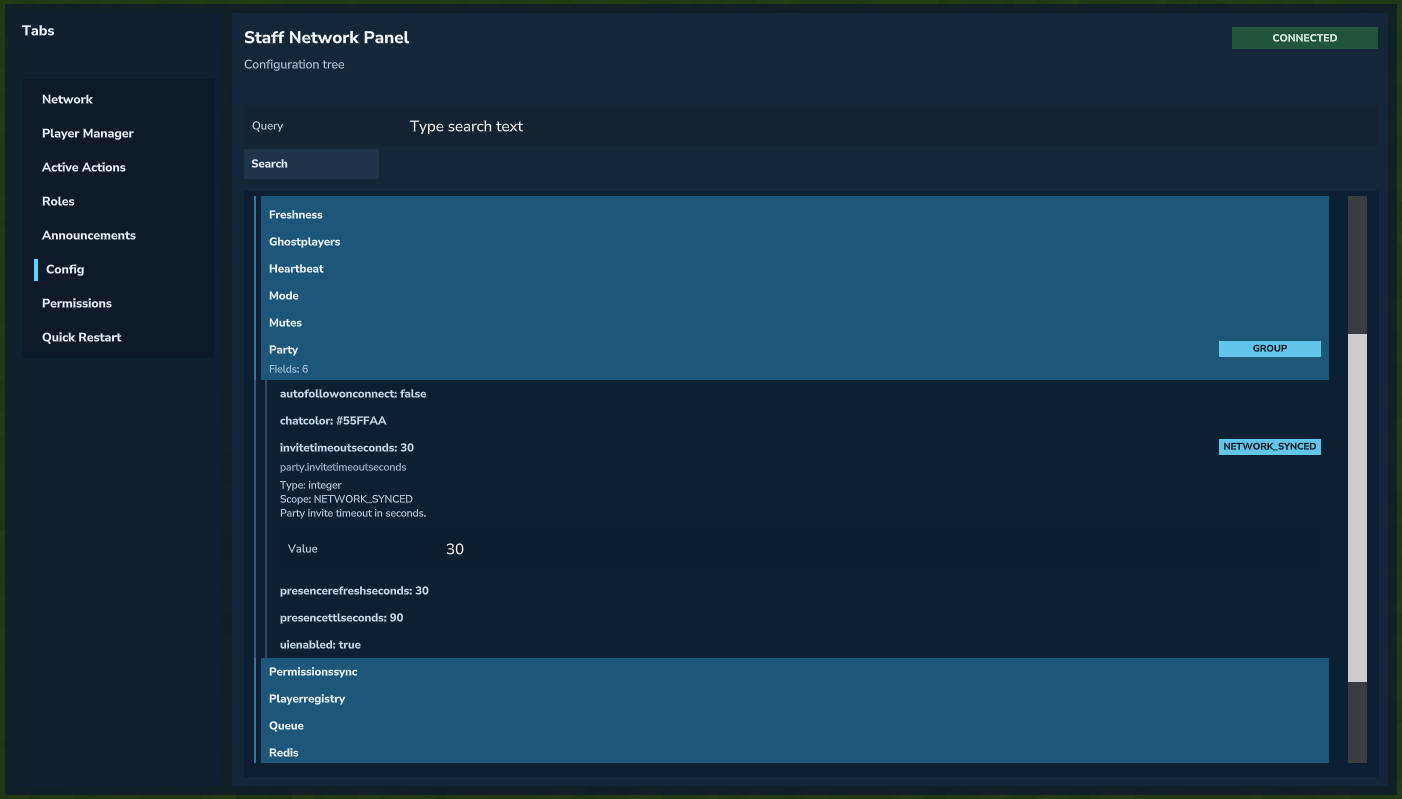 Managing configs from the Config tab.
Many configs do not require a restart to take effect.
A config's description will tell you whether it requires a restart to take effect or not.
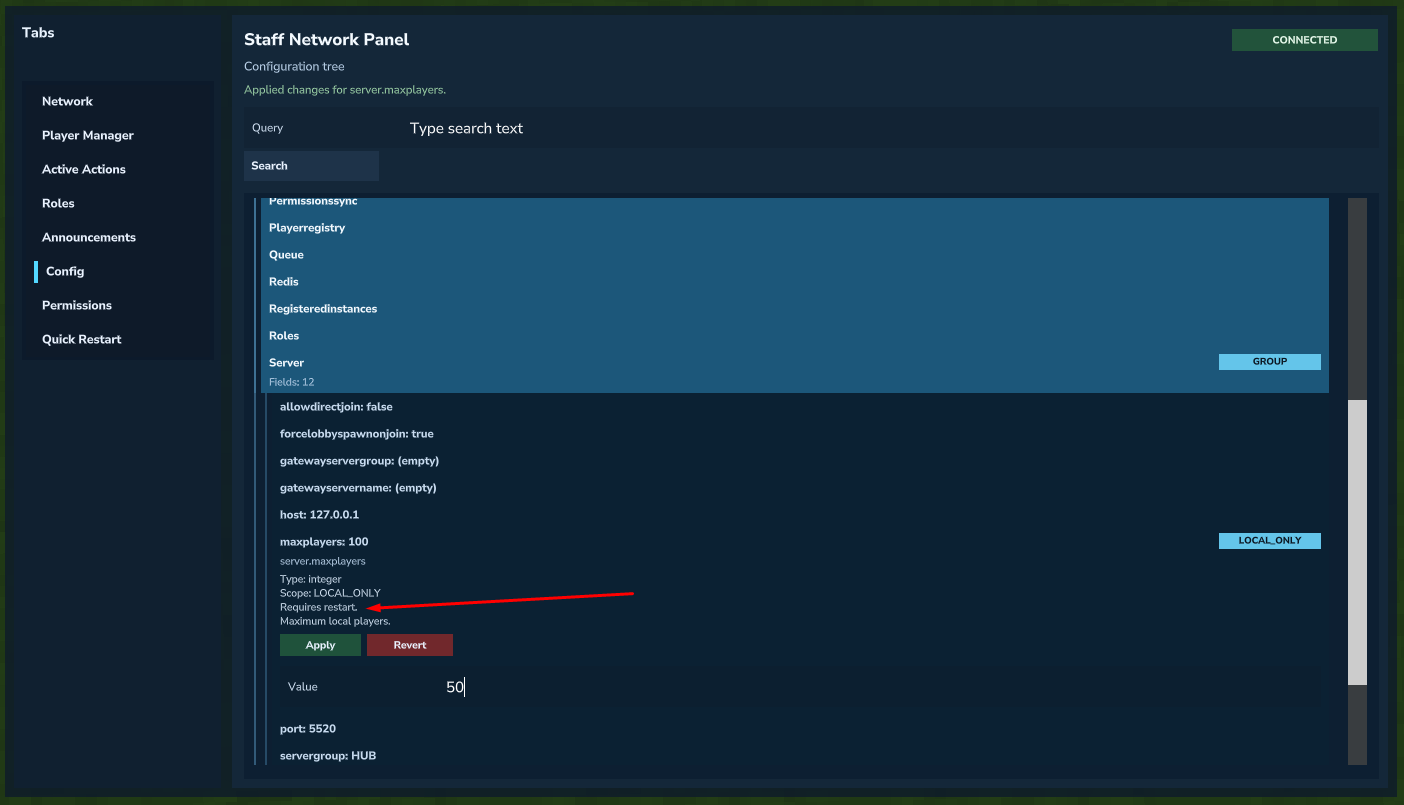 Config description indicates whether restart is required.
Note
Hardcoded scopes still apply: NetworkManager config scope behavior follows the same local/synched model used by the network permission system.