Roles
Roles in the Network are a network-wide role and access layer which lets you manage ranks and permissions in a powerful way.
Creating Roles
Navigate to:
Options:
KeyDisplay NameLaneRANK,MODERATION, orCUSTOM
- Priority and behavior flags
staffRole- auto-manages staff chat membership.opRole- drives network-wide OP sync/bootstrap behavior.purchasableuseDefaultTextFormatting- enables built-in chat prefix formatting.
- Chat formatting fields
chatPrefixprefixHexColor(for example#FF5555)
- Metadata map
- Arbitrary key/value tags for extra data.
- Example:
season=2026,department=moderation,perk.multiplier=1.25.
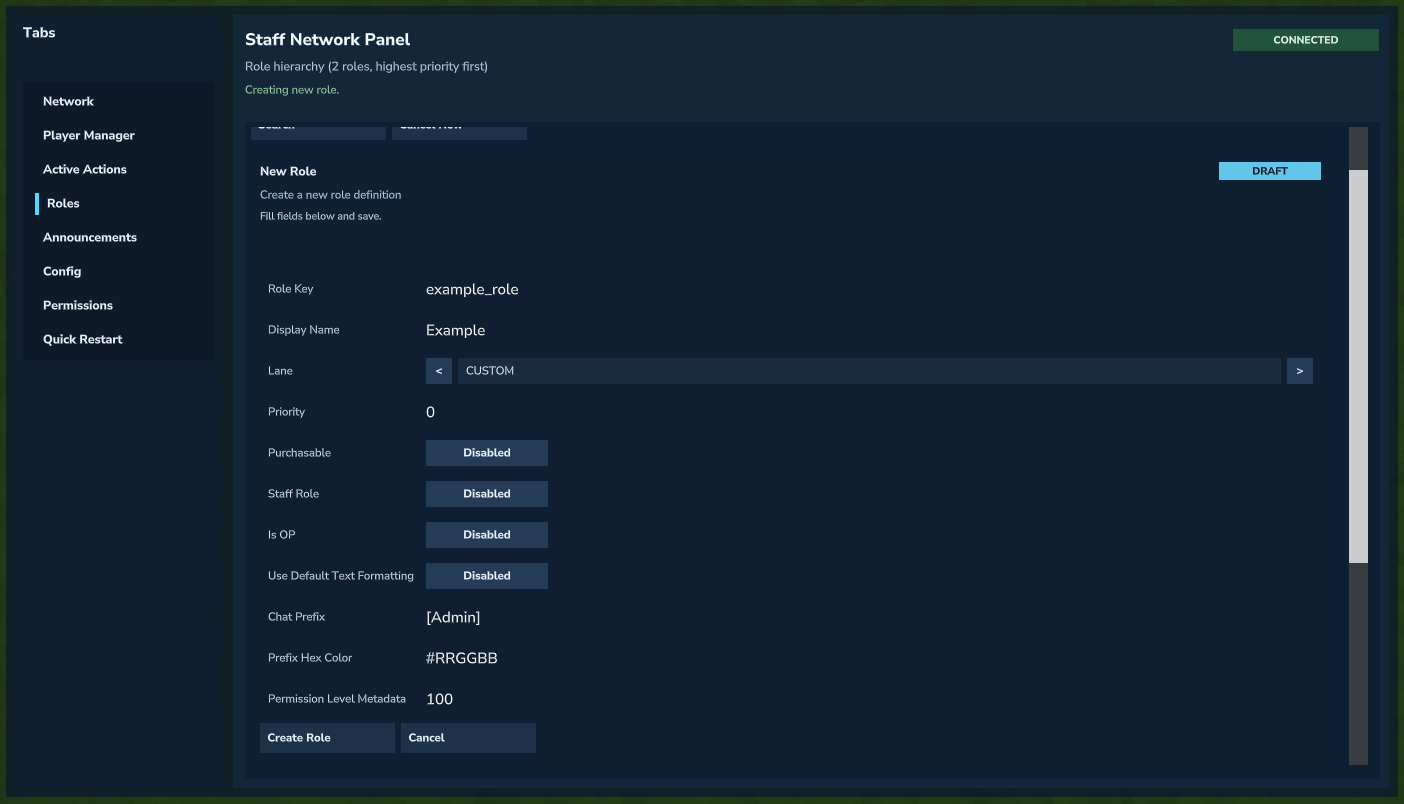 Creating a new role from the Staff Network Panel.
Granting Roles
Via Staff Network Panel
In the Player Manager tab:
- Lookup a player.
- Set
Action ModetoRole Grant/Revoke. - Set
Grant RoleorRevoke Roleto the desired role. - Click
Grant RoleorRevoke Roleto apply.
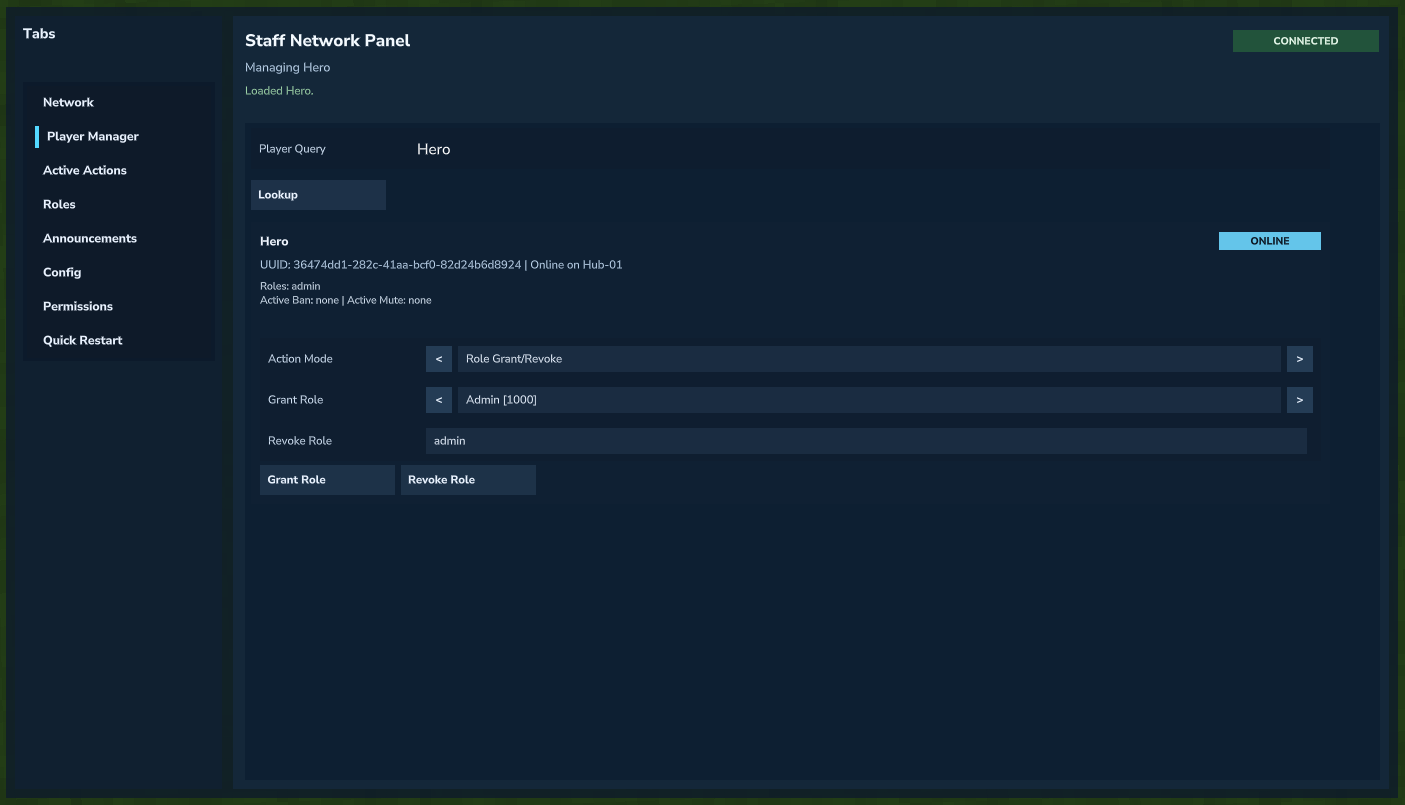 Granting and revoking roles for a player.
Timed Grants/Revoke (API)
For timed role grants, use the Role API:
Roles are per-player and granted with:
- who granted it
- reason
- duration
- idempotency support
Expired temporary roles are removed automatically when profiles are resolved.
Role Stacking
Each player gets a resolved role profile with:
- active roles
- primary rank
- primary moderation role
- display role (configurable by policy:
MODERATION_FIRST,RANK_FIRST,CUSTOM) - merged tags
Don't be afraid of giving multiple roles to a player!
Permissions and Roles
Any native, network, or plugin-sourced permission access level can be set via minimum role. Access is allowed for roles of equal or higher priority than the minimum role.
Optional Chat Formatting
When useDefaultTextFormatting is enabled, for players whose highest priority role is that role, the system prefixes their username with the colored rank prefix.
Example:

OP Synchronization
opRole=true roles are managed network-wide, granting players holding these roles operator across all network servers, and properly managing de-op behavior when an opRole is removed.
Staff Chat Synchronization
Holding a staffRole=true role auto-manages staff chat membership.
Events and Moddability
Role events provided:
RoleGrantedEventRoleRevokedEventRoleExpiredEventRoleProfileChangedEventRoleDefinitionCreatedEventRoleDefinitionUpdatedEventRoleDefinitionDeletedEvent
Important RoleService API methods:
getPlayerRoleProfileNetwork(...)listPlayerRoleGrants(...)listRoleDefinitions(...)grantRoleDetailed(...)revokeRoleDetailed(...)upsertRoleDefinition(...)deleteRoleDefinition(...)resolveRoleDisplayInfo(...)registerRoleTypedEventListener(...)