Player Manager
The Player Manager provides staff with an easy way to manage network-synced actions such as managing bans, mutes, role granting, and role revoking.
Accessing Player Manager
Navigate to Player Manager at:
Enter the username of a player to look up.
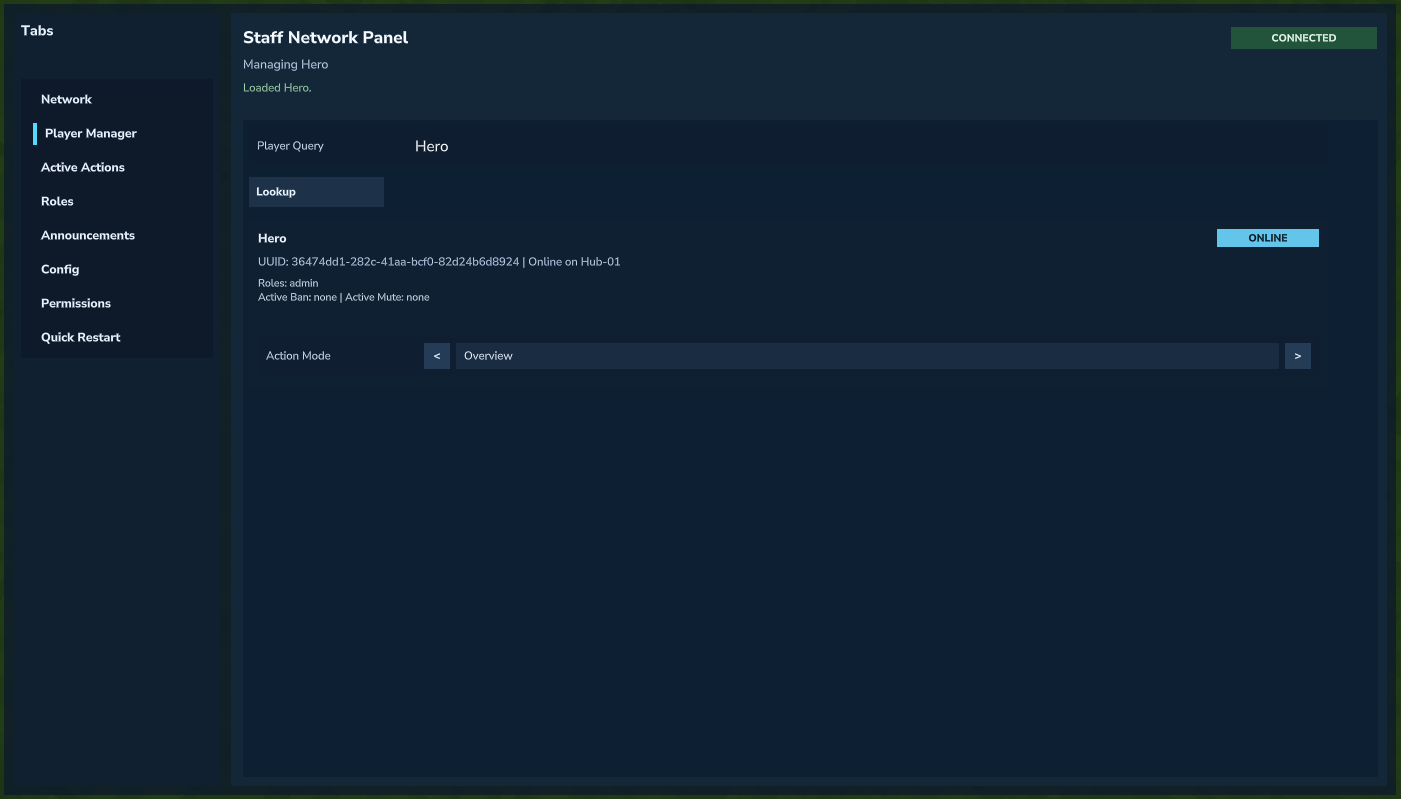 Looking up a player in Player Manager.
Swap Action Mode to the desired action. Enter action details and click the apply button for it to take effect.
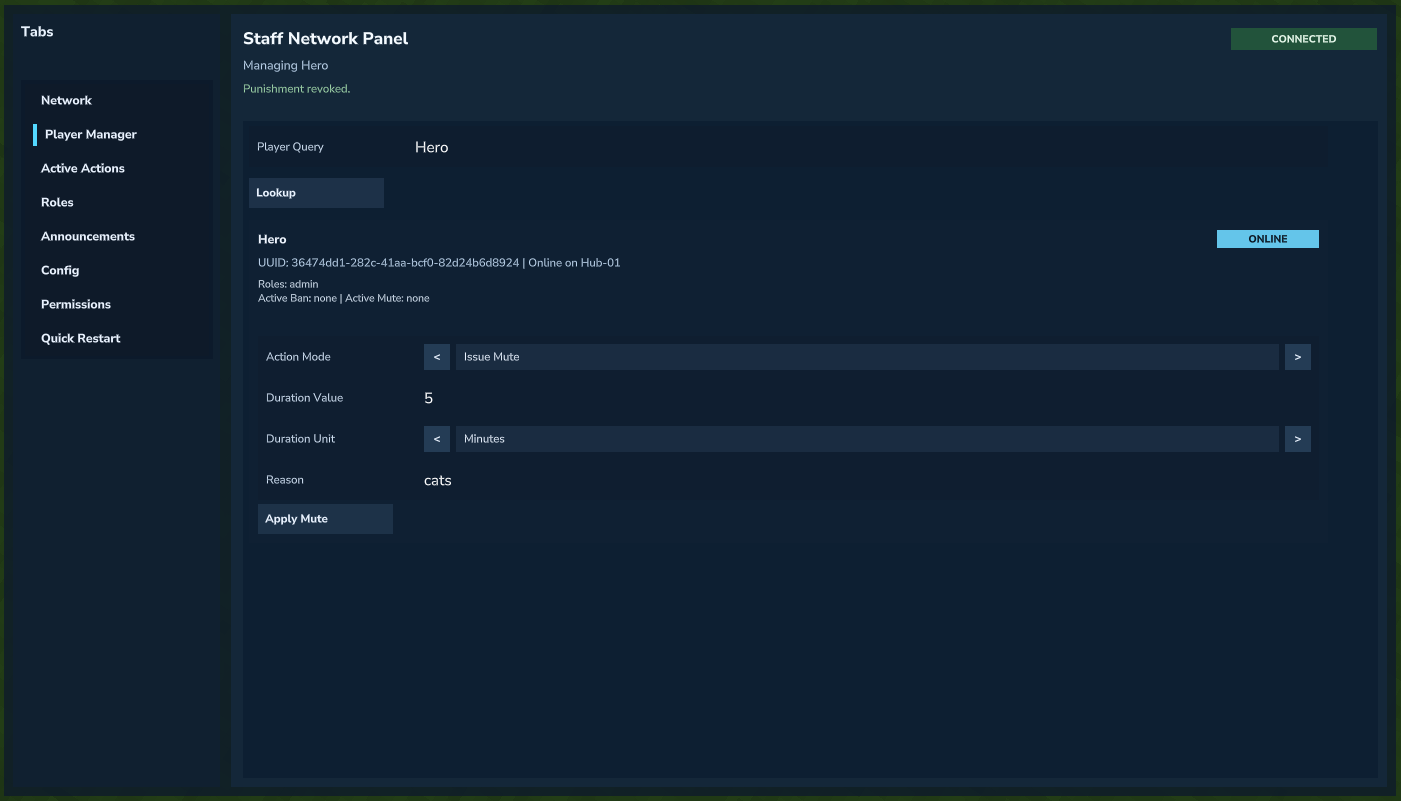 Choosing an action mode and applying it.
Active Actions
Active Actions (BANS, MUTES) can be viewed and managed through the Active Actions tab:
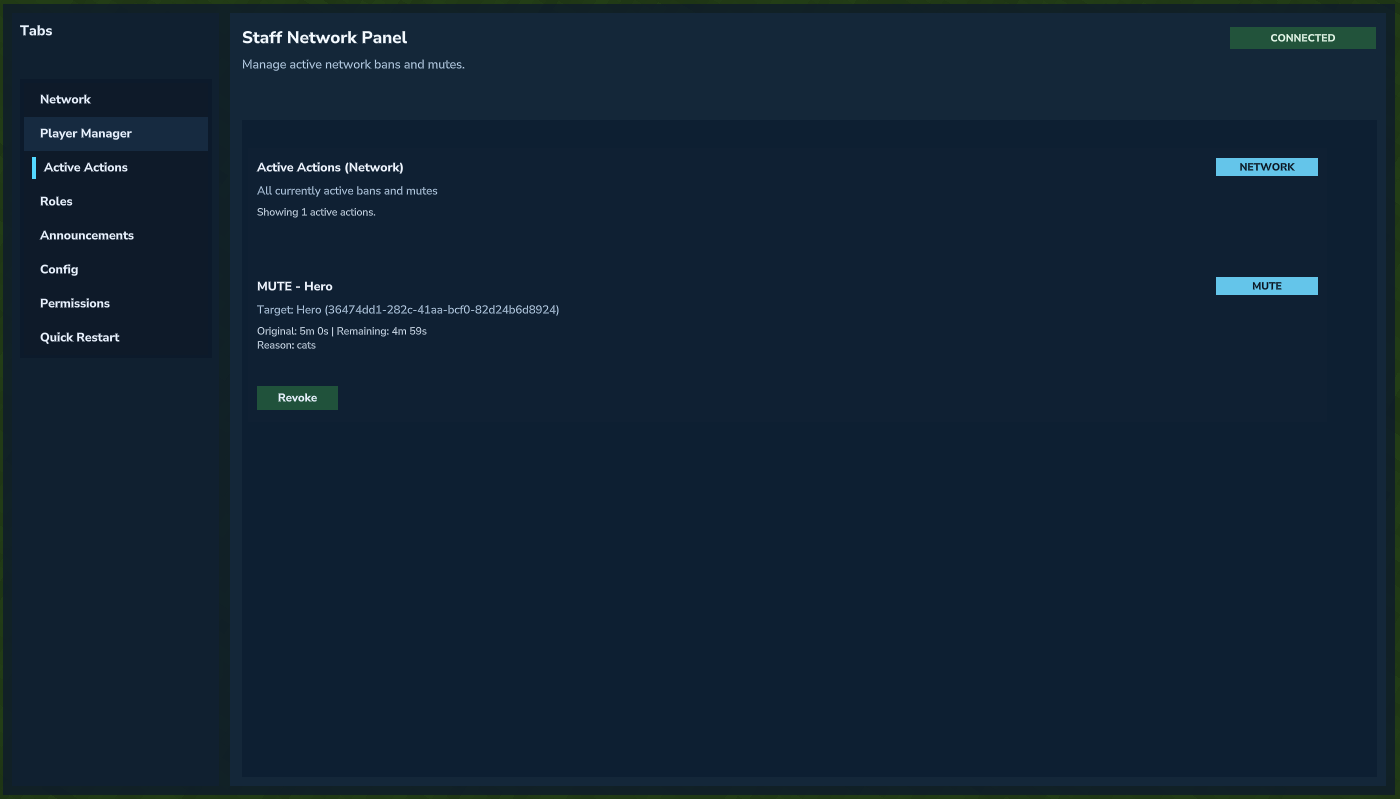 Managing active mutes and bans.
Example: Granting the Moderator Role
Swap Action Mode to Role Grant/Revoke.
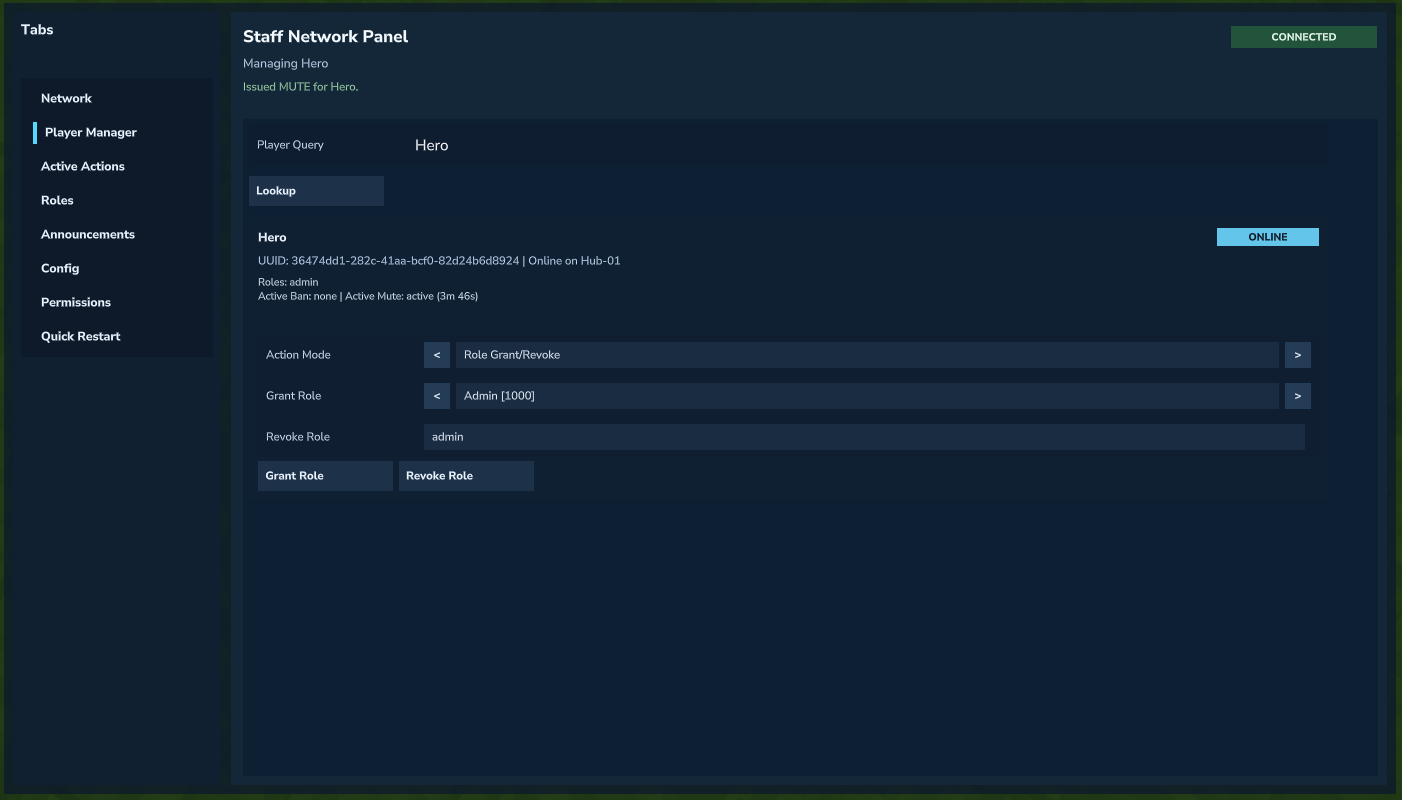 Selecting Role Grant/Revoke mode.
Swap Grant Role to the moderator role and hit Grant Role.
A message will indicate that the role has been successfully added, and the new role will appear under the role list for that player.
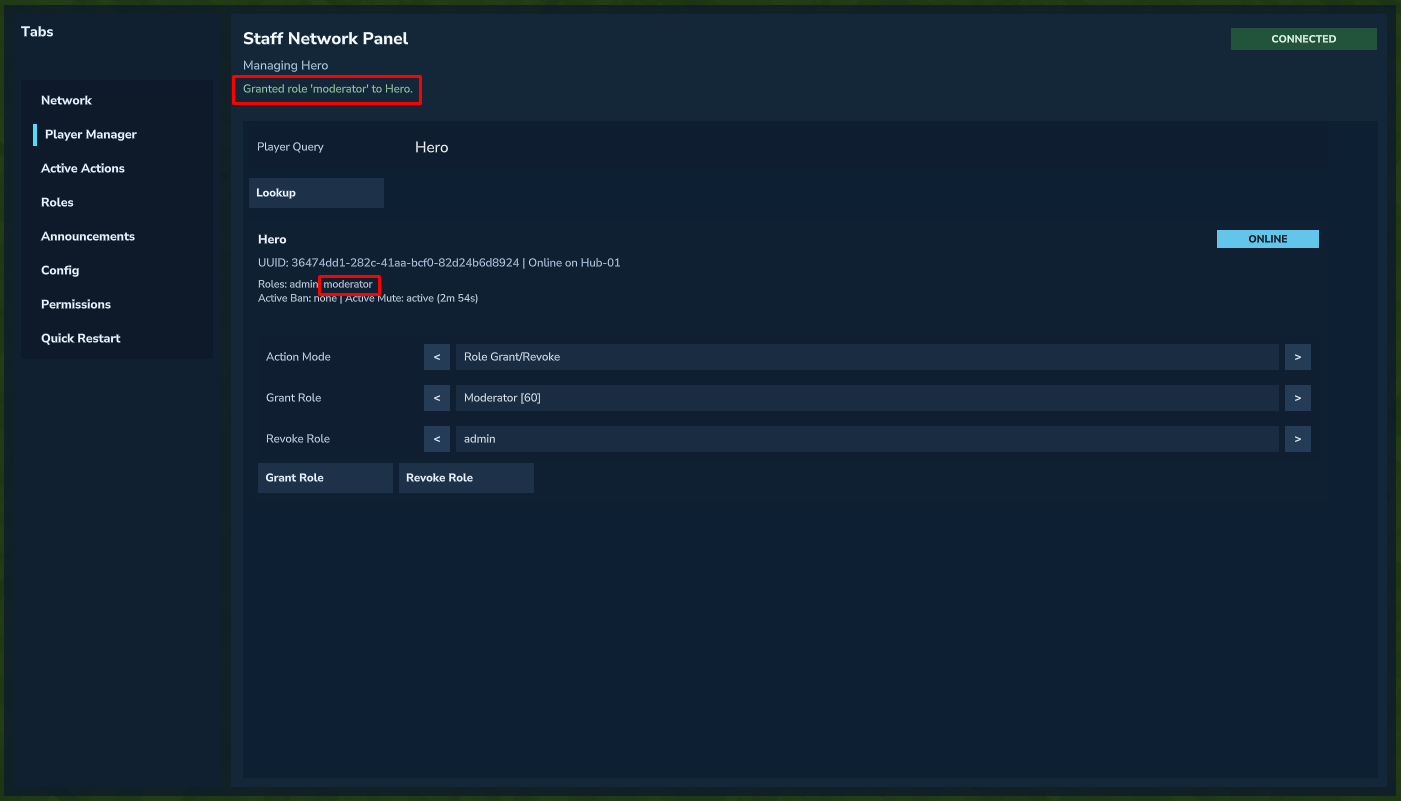 Moderator role successfully granted and visible in the player's role list.